Finance interests
Check for registered security interests and review the details in the PPSR certificate.

 Menu
AUCN CAR REPORT · AUSTRALIA
See registered finance interests, available vehicle history and market context before you make your next move.
Enter your Rego or VIN to get started

Official PPSR certificate included · Report link delivered by email
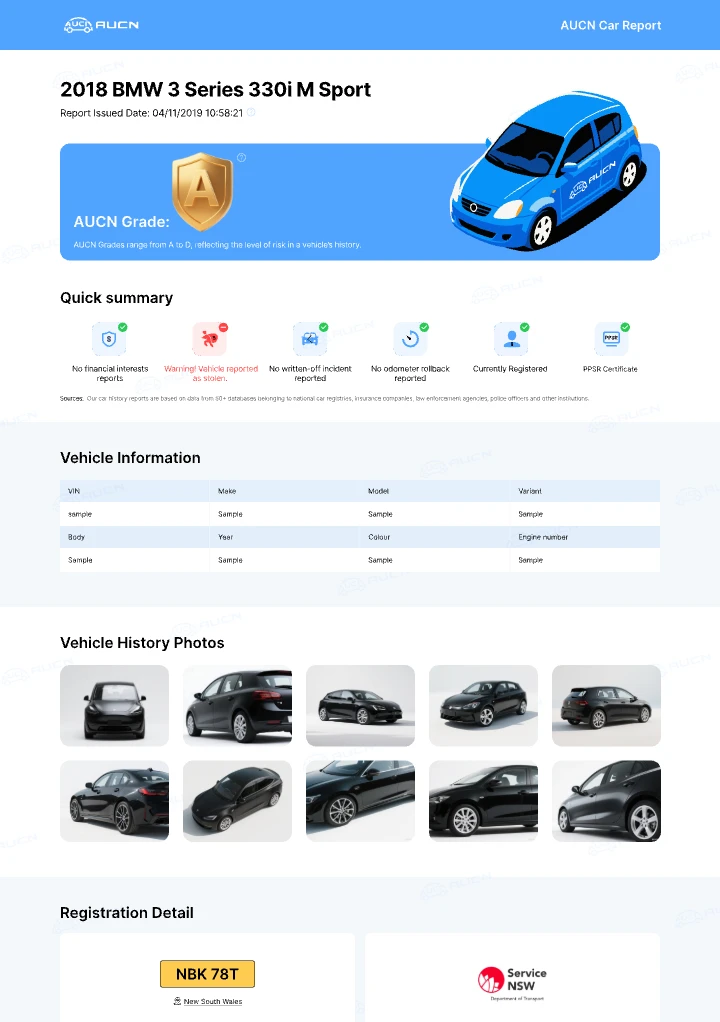
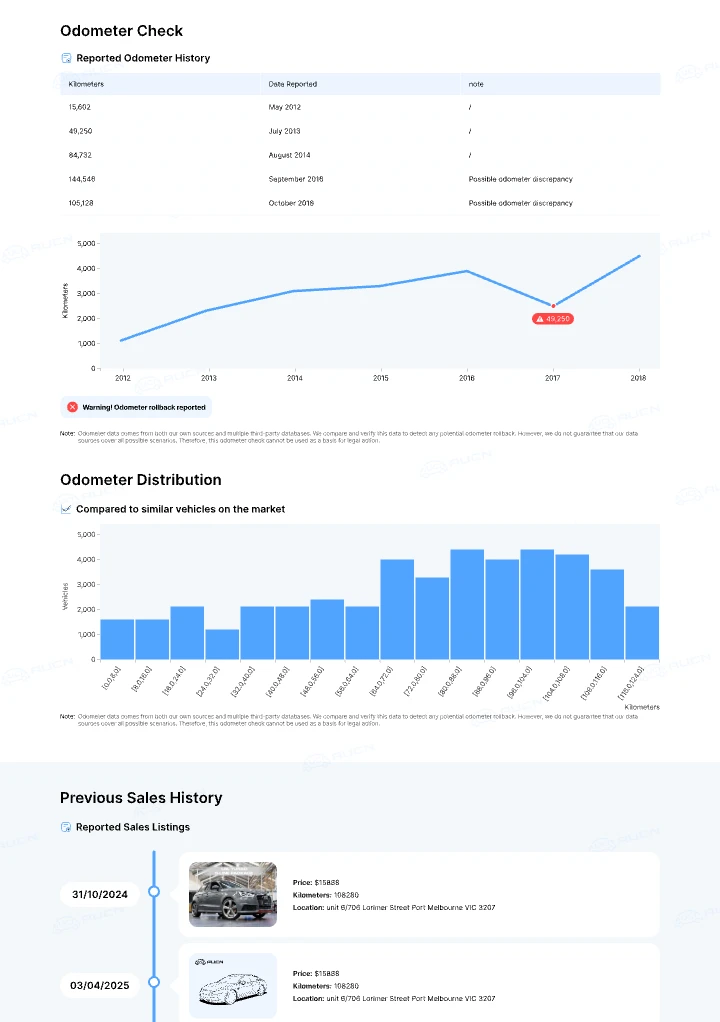
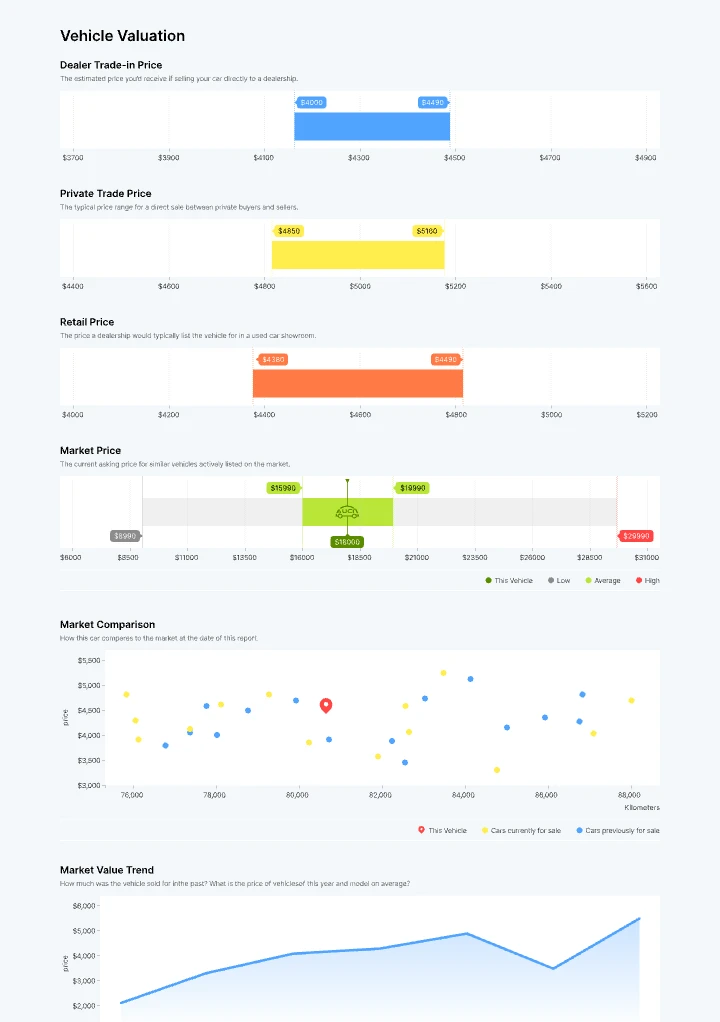
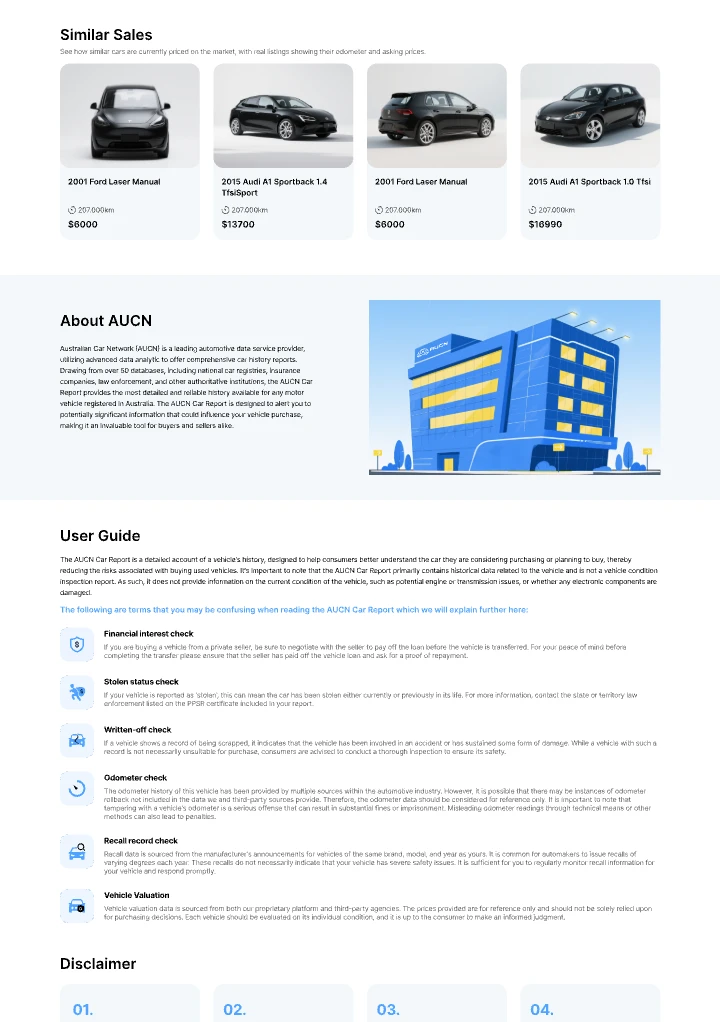
See the records. Read the detail. Make an informed decision.
WHAT'S IN THE REPORT
Bring the important checks together, then review the evidence behind each result.
Check for registered security interests and review the details in the PPSR certificate.
See recorded stolen and written-off results where vehicle data is available.
Read the official search result alongside the report, rather than relying on a summary alone.
Review available recorded readings for discrepancies. Some vehicles have limited or no history.
Compare indicative values and available advertised listings to inform your own assessment.
Explore available vehicle details, past listings and recall information in one place.
Coverage varies by vehicle and source. Missing information is not a clear result; the report does not replace an independent inspection.
EXPLORE BEFORE YOU ORDER
Browse the full sample, including the history summary, PPSR certificate and valuation sections. Actual records depend on the vehicle.
AUCN VEHICLE GRADE
An A–D grade summarises the available history checks. The underlying records explain what needs your attention.

No flags returned
No adverse flags were returned in the available checks. Read each section for missing information and coverage limits.

Review required
A registered finance interest or registration issue needs attention. Review the underlying records and resolve outstanding concerns before buying.

Significant records to review
Records such as a written-off entry or an odometer discrepancy require closer review. Check the details and obtain appropriate independent advice.

Serious history flags
Serious flags, such as a stolen record or statutory write-off, require investigation before proceeding. Review the records and contact the relevant authority.
Grades summarise available records; they do not assess mechanical condition. A grade may be unavailable when vehicle data is insufficient.
A finance registration needs attention. It does not show the amount owed or confirm that an interest has been released. Check the certificate and confirm the status before buying.
EVIDENCE YOU CAN EXPLORE
Use the source records, understand the limits and ask questions before committing to a car.
The official certificate is included. Read the search details alongside the summary. AUCN is an independent commercial provider.
Understand a PPSR checkOur research methods explain the definitions, observation periods and limitations behind the figures in AUCN's data articles.
Read our research methodsAUCN is operated by Australian Car Network Pty Ltd. If you need help with an order, include your order reference when contacting us.
Contact AUCNBEFORE YOU CHECK
What to enter, what the report covers and what happens next.
Your report brings together an official PPSR certificate, vehicle details and available history and indicative valuation information. Available sections can include recorded stolen and written-off results, odometer records, previous listings and recalls. Coverage varies by vehicle; the sample shows the report format rather than the records guaranteed for your car.
Yes. Enter the registration number or VIN and select the state requested by the lookup. The lookup helps identify the vehicle; the PPSR search itself is VIN-based. Confirm that the returned details match the car you intend to check.
A PPSR certificate records the results of a search of the Australian Government register. AUCN is an independent commercial provider that includes the official certificate in a readable report alongside available vehicle history and valuation information. Those additional records are separate from the PPSR search.
After successful payment and report generation, your report link is delivered by email so you can read it online. Delivery time depends on processing and third-party data availability. Check that your email address is correct and look in your spam or junk folder if the message has not arrived.
No. Results reflect the records available at the time of the search. A report does not show every accident, repair or insurance claim and does not assess current mechanical condition. Unavailable data is not a clear result. Review service records and arrange an independent inspection before buying.
Double-check the registration number or VIN and state, and check your spam or junk folder. If you still need help, email [email protected] with your order reference and the email address used for the order.
Need help with a report? Email [email protected]
FREE CAR VALUATION
Explore indicative dealer, private and retail values with your Rego or VIN. Use the estimates as a starting point for your own assessment.
Explore free valuationFOR BUSINESS
Buying stock, reviewing vehicles or building a platform? Discuss reports, market insights and available integration options for your business.
Explore business solutionsEnter the vehicle details, check the match and continue to your report.